Thoughts on Instinct
Instinct, if you don’t already know, is a personal assistant AI application that has been all the rage in Twitter circles and tech groupchats for the last few weeks.
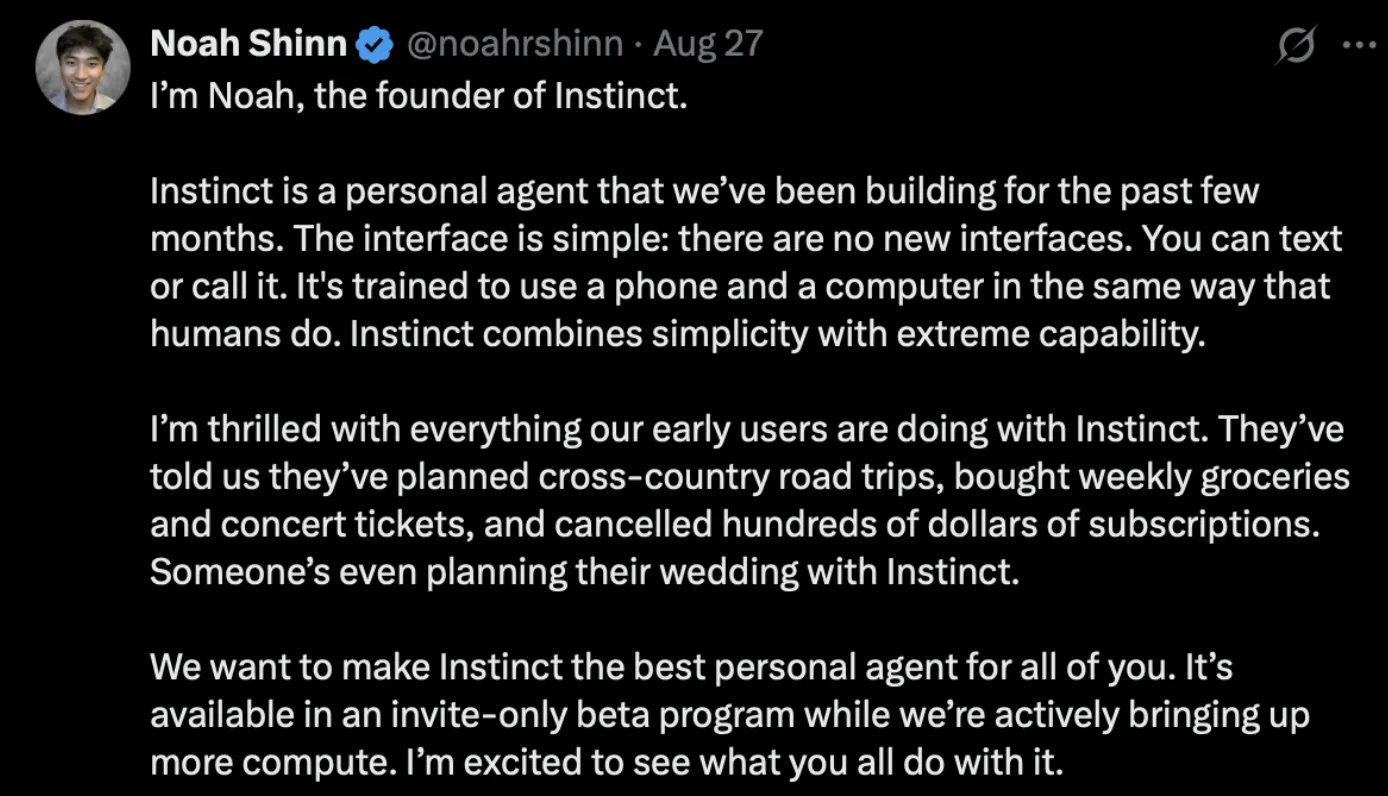
The founder (or one of the founders), Noah Shinn, made his first post on Twitter the other day, describing Instinct as “a personal agent”, elaborating further:
As someone who makes a really honest effort at being hyper-online and trying every harness, framework, model, and/or agent right when it comes out — so as to form an unbiased, objective opinion on what I think of them (unlike the deluded, unwashed masses who form their opinions based on poorly derived approximations of other people’s, likely also derivative, opinions on Twitter) — here are some thoughts about Instinct.
Architecture
This is loosely how Instinct’s architecture works:
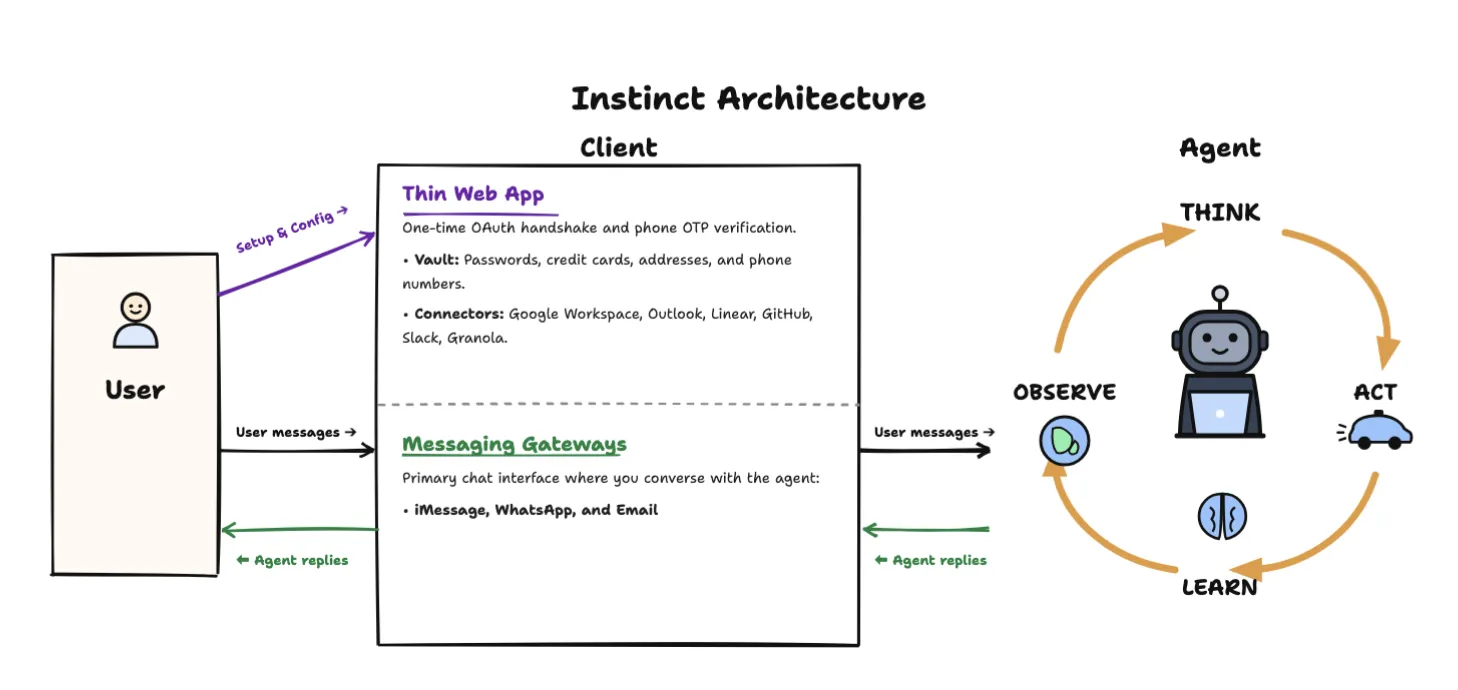
The user signs up for the first time via the web app, which is very thin and only used for connection data context (“Connectors”) or storing credentials (“Vault”). The user communicates with the agent through the other half of the client, which is, in this case, either iMessage, Email, or WhatsApp.
From here on out, I will just refer to iMessage, since this is what I use and what Instinct is most known for. Though I will mention as a side note: you’ll notice the numbers provisioned for your agent for WhatsApp and iMessage are not the same number — this is because iMessage, WhatsApp, and in general telephone numbers are walled gardens and they won’t make it easy for you to assign those to one number (see companies like Photon working on this). I imagine Apple, Meta, and CPaaS companies will open up the gates gradually on this over the next few years, starting with well-established partners first.
Data Usage
First thing I want to draw your attention to is this:
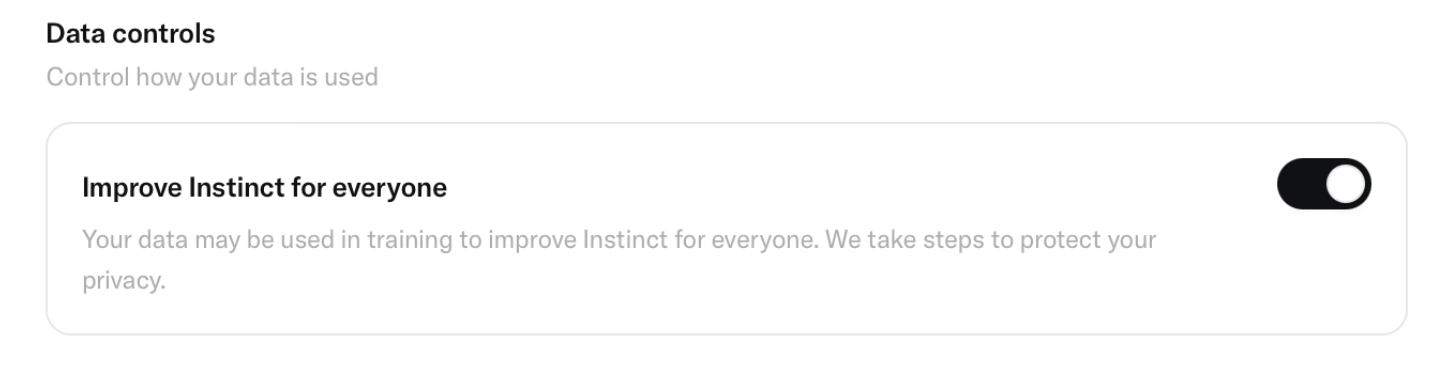
Yes, they are using all your data, for training, for building customer profiles (so they can offer you products and services)… this isn’t nefarious nor should it be surprising. They are defining a new product vertical slice, kinda, and we need all possible revenue areas open. Having a big trove of chat data, that’s rich, and about the person’s lifestyle, job, what they buy, where they travel (especially Instinct users, who on average at the moment are super wealthy statistically)… that’s something that makes no sense not to collect by default. I didn’t take time to look at their Privacy Policy or Terms, but usually you can glean some more about what they plan to do by doing that. But likely it’s pretty broad language on purpose to allow for whatever. This is smart and makes sense.
Feature Walkthrough
Back to this, there are two top-level areas, it’s really simple: Workspace and Vault.
Workspace
- Contact: where you can see your agent’s iMessage, WhatsApp, and email address.
- Connectors: where you can establish OAuth connectors with third-party providers. This is, in some nuanced ways, functionally the same as the Logins section below, with one important difference: OAuth will allow the agent programmatic access / API use, whereas stuff that goes through the login route will have to go the computer use route. This is significant because, all things equal (assuming the API is good), API is always better than computer use. But also we can’t rely solely on APIs, because third-party applications might make OAuth connection difficult, it might not be available how you need it to be for your product, and so on. So for an agent like this, having both is table stakes, or else you will not be able to cover some of the platforms your customers use, want, or need.
Vault
A secure area to share sensitive credentials:
- Logins: credentials (login/password combos) for accounts that you might want Instinct to be able to log in to — Booking.com, Amazon, whatever. These are so it can do CRUD operations — so it’s both for context and for actions.
- Cards: credit card numbers, so it can buy stuff.
- Addresses: different home addresses, so you can order/ship stuff.
- Phones: different phone number aliases you might have — e.g. you should be able to text your same agent from multiple numbers, and it should recognize you.
Thoughts on Features
One thing I find interesting / want to elaborate on is that, as of the day of writing (August 29, 2026), Instinct offers Google Workspace, Outlook, Linear, GitHub, Slack, and Granola. It markets itself as a personal assistant agent, but you will notice these are very work-y applications. I think this can be explained in two ways:
- Mature OAuth APIs: Each of these companies has mature OAuth API routes (I have used all of them extensively) that are very dev-friendly to spin up an OAuth client and get connected.
- Meeting users where they are: Instinct users are using these apps, and we want to meet them where they are. We also want to have this little branch extending between work and personal, as most of our lives kinda work like that (Slack messages on your phone when you are out with family, etc.), so the agent should also be able to see your Slack.
Also, a note on Vault: basically the rationale of this section is:
“There are sensitive pieces of information we don’t want the user to communicate over raw iMessage, so when we need them to complete an action, instead of asking them in the chat itself, we will send them a link to the web portal, and they will pass the creds through a secure form, and then we can access through that.”
OAuth vs. Computer Use
A last interesting point I want to make is: what do you do with the OAuth connectors?
Well, you can do CRUD operations with them, but you can also grab a ton of that data and add it to a large database, and then point your retrieval system at it. You can’t really do this with Vault, since it’s computer use, so you can’t, for example, fetch all the stuff the user has bought in the last 1 year. Well, technically you can (this is what “scraping” is), but it’s kinda a grey area / diminishing returns. It can work theoretically, but I don’t think it’s a super high-value area to invest resources into. You just can’t build up as strong of a context graph.
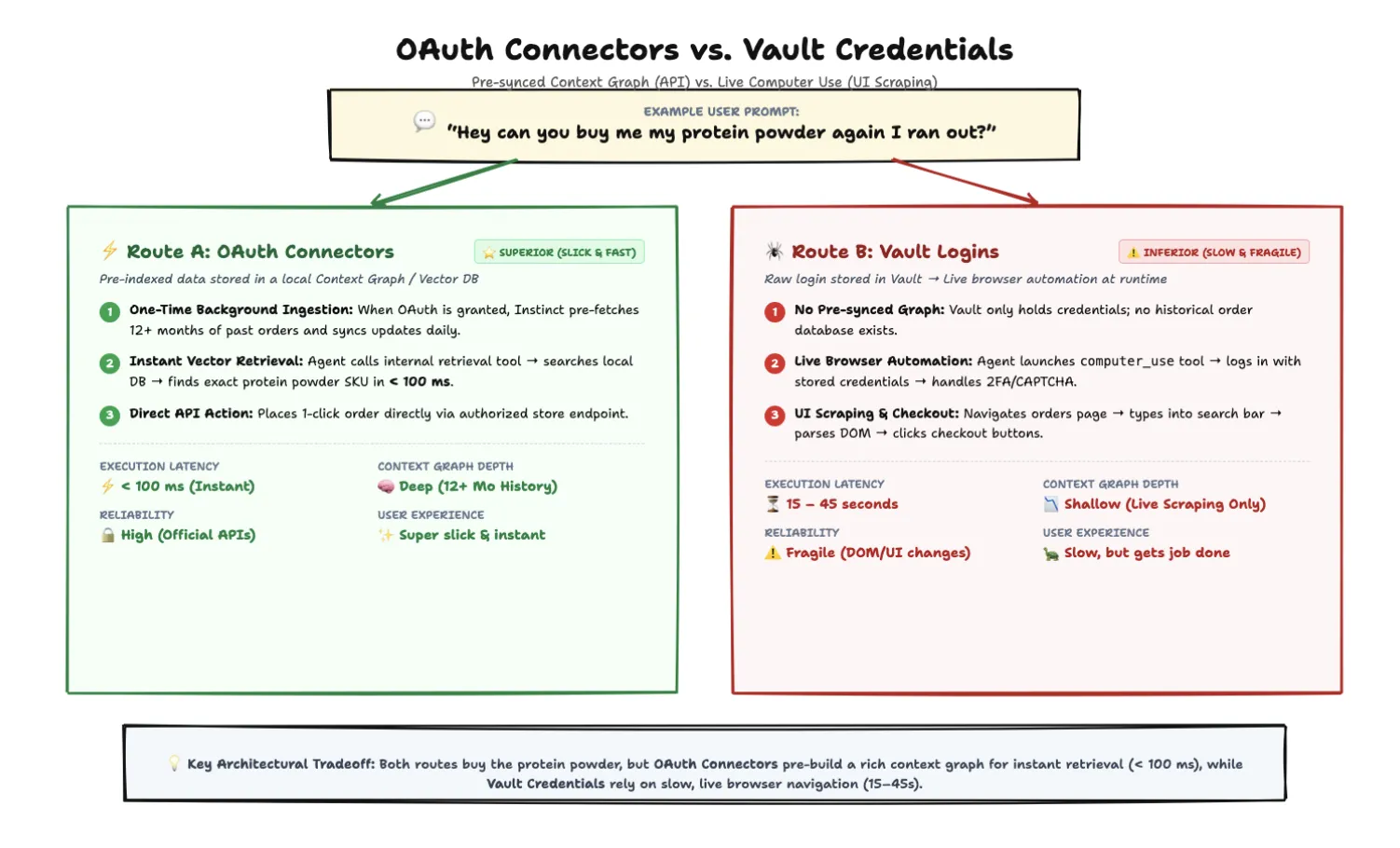
Let me illustrate. Take an example question:
“Hey can you buy me my protein powder again I ran out?”
- Route A (Superior — OAuth Connectors): The user granted the Instinct application OAuth access/permissions into their Amazon account. That means you can call an action to fetch all of their orders from the last, say, 12 months, and you did this already at the time the user granted access (say, a week ago), updating it on a daily sync. The agent will call its retrieval tool and find the protein powder quickly, in less than 100 ms or so.
- Route B (Inferior — Vault Logins): It uses the non-OAuth, vault/login strategy. The agent has to call its
computer_usetool, log in with the creds you gave it, navigate to the orders section, and use the search bar to find the protein powder. This will also be successful, but it will take a lot longer, and it is a less direct way of fetching the information.
In both cases, the user gets the protein powder. But in the first one, the experience is super slick and fast; in the second one, much less elegant, but still gets the job done. And, by the way, I don’t really know if they are pulling/grabbing retroactive data to inject into a retrieval DB at the time of granting OAuth access, but it would be wise for them to if they are not (data maximalism).
The Agent
Now let’s talk about the agent experience. I’m not gonna get into it that much, other than to say: I am impressed. It is snappy, and takes a while other times, but really what matters is getting it right, and it consistently does. It navigated some complicated websites for me, like booking movie tickets in specific areas of the theatre, finding hidden gems on a vacation, helping me plan out a vacation, and doing abstract, lazy thinking on problems I gave it. This is a big success IMO.
They have abstracted away all of the decision making that you have to do with things like Hermes. They don’t give you a choice of what model to use, or gateways to connect, or skills to add. This is not better in the objective sense, it’s just an abstraction. Instinct is opinionated on what model will be best for their users and abstracts all the decisions away.
The computer use model is impressive. I haven’t gotten super in the weeds on computer use models, so I don’t know how it benchmarks, but it did a good job, and it’s kinda Instinct’s main thing under the hood.
As someone who is really into voice, I was excited to have it call places on my behalf, and was sad to see my requests get rejected. Some friends said it used to work, so I think they turned it off. I’m not sure of the reason, but I hope to see this killer feature come back. I imagine all the assistant/agent apps (ChatGPT, Grok, Anthropic, Google will have them soon) will want to have this feature. There may be some regulatory issues actually causing the pause — having agents call places can get into murky waters under spam and telecom acts. I hope there is more clarity soon on having agents call businesses on a human’s behalf for a legitimate relevant question; that shouldn’t be a problem.
Conclusion
Overall I really like the product and am excited about the direction here: iMessage focus, tackling hard coordination problems around lifestyle, planning, research, buying stuff… This is good stuff. This is where agents are supposed to help us in our daily lives.
I have heard some crazy valuations get thrown around for Instinct and am not sure what will happen. I wouldn’t be surprised to see a large early acquisition by a frontier lab. I think this would be the best move for them because I see it difficult to fight the labs as they will be encroaching on this space for sure.